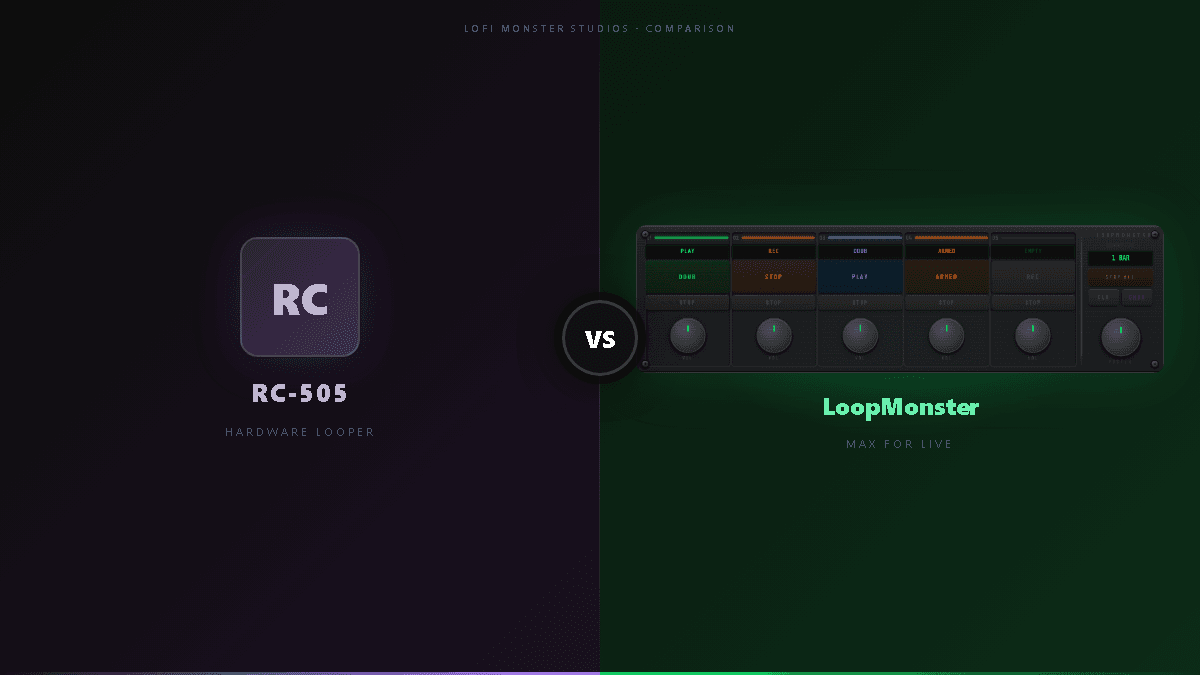
RC-505 vs LoopMonster — Hardware Loopers vs Max for Live
RC-505 vs LoopMonster — Hardware Loopers vs Max for Live
You're deep into your live Ableton set. The backing track is rolling, your synth is warm, and you want to throw down a vocal loop — then another, then layer a guitar phrase on top of it. The crowd is watching. The RC-505 next to your laptop is doing exactly that, and it feels great. But then you wonder: why am I managing two separate devices, two separate signal paths, and two separate sets of controls? If LoopMonster can do all of this inside Ableton, why do I have $500 of hardware sitting on my table?
This is the dilemma facing every Ableton-native performer who has ever used a Boss RC-505 or considered buying one. The RC-505 is a genuinely excellent machine, and there are real situations where it wins. But if your entire performance rig already lives in Ableton Live, a Max for Live solution like LoopMonster might do everything you need at a fraction of the cost — with tighter integration and none of the cable management.
This guide breaks down both tools across every dimension that matters for live performance: price, tracks, standalone capability, DAW sync, effects, MIDI control, latency, learning curve, and long-term upgrade path. By the end, you'll know exactly which one belongs in your setup.
What Makes the RC-505 Great
The Boss RC-505 is the flagship tabletop loop station, and it earned that title. Here's what it does well.
Five phrase slots with independent control. The RC-505 gives you five stereo loop tracks, each with its own dedicated volume fader, mute button, and effect chain. You can record into any slot independently, overdub without affecting others, and mute individual tracks in real time — all from the hardware surface without ever touching a screen.
Stereo looping and onboard effects. Unlike single-track pedal loopers, the RC-505 records in stereo and processes each track through its own effects engine. You get reverb, delay, chorus, filters, phaser, and more — all tweakable from hardware knobs during performance. The effects sound genuinely good, and they're designed to be used on stage, not just dialed in during soundcheck.
USB audio interface built in. The RC-505 MkII functions as a USB audio interface, which means you can connect it to a computer for recording without a separate interface. For performers who want to capture their loop sessions as stems, this is a meaningful convenience.
Standalone operation — no laptop required. This is the RC-505's most important differentiator. It runs entirely on its own DSP hardware. No computer, no audio driver, no software to crash. Plug in power, plug in a mic or instrument, and you're looping. For buskers, acoustic performers, or anyone playing venues where a laptop isn't practical, this is a decisive advantage.
Hardware tactile response. Five large pads, physical faders, and a grid of real buttons give you direct, eyes-free control. Your fingers know where everything is. There's no hovering over a trackpad or squinting at a screen — you play the machine the way you play an instrument.
Who the RC-505 is for: Vocalists and instrumentalists who perform without a computer, performers who want dedicated hardware that won't share CPU with anything else, and live loopers who prefer physical control over software interfaces.
What Makes LoopMonster the Max for Live Alternative
LoopMonster is a Max for Live device that installs directly into Ableton Live and turns it into a five-track live looping station. Its advantages come directly from living inside your DAW.
Five looping tracks in sync with Ableton's transport. LoopMonster gives you five independent loop tracks — the same count as the RC-505 — but every recording is automatically quantized to Ableton's grid. Record a loop and it snaps to your session's BPM. There's no manual tap tempo, no sync drift, no fighting an external clock. If your tempo changes, your loops follow.
Per-track controls built for performance. Each track has its own record/overdub, play/stop, and clear controls, plus volume and mute. The layout is designed for live triggering, not just studio use. Assign a MIDI footswitch to any control in seconds using Ableton's standard MIDI map mode.
Full access to Ableton's VST plugin ecosystem. Because LoopMonster is just a device in your Ableton session, every loop you record routes through your existing signal chain. Want to run a loop through a hardware reverb send, a compressor, and a sidechain gate simultaneously? That's just your Ableton mixer — no extra routing required. The RC-505's onboard effects are fixed; LoopMonster's effects are unlimited.
MIDI and foot controller mapping. Any MIDI controller — a standard footswitch, a Behringer FCB1010, an APC40, or whatever you already own — can control every function of LoopMonster without any custom configuration. Ableton's MIDI mapping is universal. You get RC-505-style hardware control using gear you probably already have.
Price: $49.90. That's roughly one-tenth the retail price of an RC-505 MkII (~$499). If you're already running Ableton Live Suite with Max for Live included, the additional cost is just the device itself.
Who LoopMonster is for: Ableton-native performers who want live looping that's in perfect sync with their session, producers transitioning to live performance, and performers who already own a MIDI foot controller and want to avoid managing a second hardware device.
Explore LoopMonster at lofimonster.com/products/loopmonster.
Head-to-Head Comparison
| Feature | Boss RC-505 MkII | LoopMonster (M4L) |
|---|---|---|
| Price | ~$499 | $49.90 |
| Loop tracks | 5 stereo | 5 stereo |
| Standalone use | Yes — no laptop needed | No — requires Ableton Live |
| DAW sync | MIDI clock only (external) | Native Ableton transport sync |
| Onboard effects | Yes — reverb, delay, chorus, filter, etc. | Via Ableton VST/AU chain (unlimited) |
| MIDI controller support | Yes — dedicated MIDI in/out | Yes — Ableton native MIDI map |
| Audio quality | 24-bit/44.1kHz | Limited by your audio interface |
| Latency | Near-zero (hardware DSP) | ~2-5ms at 64-128 sample buffer |
| Overdub undo | One level | Multiple levels |
| Session recall | No (volatile state) | Yes — saves with Ableton project |
| Learning curve | Moderate (physical layout) | Low (if you know Ableton) |
| Upgrade path | Buy new hardware | Software updates, new devices |
| USB audio interface | Yes (built in) | Requires separate audio interface |
| Battery powered | Yes (AA batteries) | No |
Where the RC-505 Wins
The RC-505 has genuine strengths that no software solution fully replicates.
Standalone live use with no laptop. This is the scenario where the RC-505 is simply the right tool. If you're a vocalist who performs with a backing track and a looper but no computer, you cannot use LoopMonster. The RC-505 is a complete system in a box.
Hardware tactile response during performance. Physical buttons and faders have a feel that a mouse or touchpad cannot match. When you're mid-performance and you need to mute track 3 without looking, the RC-505's dedicated controls are faster and more reliable than navigating software with a MIDI controller — especially in an unfamiliar venue.
Battery-powered portability. The RC-505 can run on AA batteries. That matters for busking, outdoor gigs, and anywhere power access is limited. LoopMonster requires your laptop to be running, which requires a power outlet.
Built-in effects that are stage-ready out of the box. The RC-505's onboard effects were designed for live performance — they're optimized, they sound great, and they're accessible from hardware knobs without menu-diving. LoopMonster relies on whatever effects you've already set up in your Ableton session; a fresh project has no effects until you add them.
No software crashes, ever. A hardware looper's failure modes are simple: it works, or it doesn't. Software adds layers of potential failure — driver issues, macOS/Windows updates, plugin instability, CPU spikes. For touring artists who need absolute reliability, hardware has a real advantage.
Where LoopMonster Wins
For Ableton performers, LoopMonster's advantages are substantial.
Full DAW integration — tempo sync, session clips, automation. LoopMonster loops are part of your Ableton session. They follow your master tempo, they sync with your clip launcher, and you can automate parameters over time. The RC-505 is always a separate island in your rig, even when slaved to MIDI clock.
Price: one-tenth of the hardware. At $49.90, LoopMonster costs less than a single blank patch in a high-end synthesizer. The RC-505 MkII is ~$499. That $450 difference buys a lot of other gear, or a lot of plugins.
Works with your existing Ableton setup. If you already own Ableton Live Suite, you already have Max for Live. LoopMonster slots into your existing workflow — your audio interface, your mixer, your sends, your effects chains — without adding a new physical device to manage.
Better for complex arrangements. The RC-505 is built for live improvisation on a fixed set of tracks. LoopMonster operates inside a full Ableton session, which means you can combine looping with clip launching, scene triggers, return tracks, and full arrangement automation. There's no ceiling on complexity.
Software updates extend functionality. When new capabilities arrive, you download an update. Hardware eventually goes end-of-life; software can evolve indefinitely.
Multiple overdub undo. The RC-505 allows one level of undo — the last overdub. LoopMonster, operating inside Ableton, allows you to undo multiple passes. For live performance, this reduces the stakes of an accidental overdub significantly.
Latency: Does LoopMonster Have Noticeable Latency vs the RC-505?
This comes up constantly, so let's address it directly.
The RC-505 runs on dedicated DSP hardware. There is effectively zero latency between input and output — audio goes in, gets processed, comes back out in under a millisecond. No operating system, no audio driver, no buffer.
LoopMonster runs inside Ableton Live on your computer, which means your latency is determined by your audio interface buffer size setting:
- 64 samples at 44.1kHz: ~1.5ms round-trip — imperceptible
- 128 samples at 44.1kHz: ~2.9ms round-trip — imperceptible
- 256 samples at 44.1kHz: ~5.8ms round-trip — barely perceptible under ideal conditions
- 512+ samples: Starts to feel sluggish for real-time performance
For live looping, you should be running 64-128 samples anyway — that's standard practice for any real-time Ableton performance. At those buffer sizes, LoopMonster's latency is not a practical concern. You will not notice a 1.5ms difference while performing.
The latency argument against software loopers is real at high buffer sizes (512+), but irrelevant for any performer who has optimized their audio setup for live work. If you're running 512 samples during a live set, you have a bigger problem than which looper you're using.
One genuine caveat: if you're playing an acoustic instrument through a live monitoring setup, even 3ms of added latency on the monitored signal can feel slightly off. In this scenario, hardware still wins on feel — not because of any flaw in LoopMonster, but because hardware monitoring avoids the DAW's processing path entirely.
Real Workflow Scenarios: Which Should You Choose?
The right answer depends on your actual setup and performance context.
Solo looper / vocalist with no laptop on stage. The RC-505 wins here. It's the entire reason the RC-505 exists. If your live performance is microphone to looper to PA with nothing else, LoopMonster is not an option for you.
Ableton-native performer with a MIDI foot controller. LoopMonster wins clearly. You already have the DAW, you likely already have Max for Live, and your MIDI footswitch can control LoopMonster the same way it would control any hardware. You gain perfect DAW sync, unlimited effects, and session recall — all for $49.90.
Studio producer transitioning to live performance. LoopMonster wins. Your production workflow already lives in Ableton. Rebuilding it around external hardware adds friction, cost, and complexity. LoopMonster lets you bring your studio setup to the stage without reinventing your signal chain.
Touring artist who performs without a laptop. RC-505 wins. Battery power, hardware reliability, and standalone operation are non-negotiable if your live show doesn't involve a computer.
Hybrid performer: Ableton for production, hardware for looping. This is the scenario where some performers end up running both — and it's often unnecessary. Before investing in the RC-505 to complement your Ableton rig, spend a week seriously using LoopMonster with a MIDI foot controller. Most Ableton performers who try this find they don't need the hardware.
Frequently Asked Questions
Is there a software version of the Boss RC-505?
Boss does not make an official software version of the RC-505. There's no official RC-505 plugin, app, or DAW integration from Boss themselves. Third-party Max for Live devices like LoopMonster are the closest software equivalent — they replicate the core workflow of multi-track real-time looping with per-track controls, but inside Ableton Live rather than on dedicated hardware.
Can Ableton Live replace a hardware looper?
For Ableton-native performers, yes — with the right Max for Live device. Ableton's built-in looper is a single-track device and isn't designed for multi-track live looping performance. A device like LoopMonster adds the multi-track, per-slot control that makes live looping practical in a real set. For performers who need standalone operation (no laptop), hardware remains the only option.
Is LoopMonster the same as the RC-505?
Not exactly. LoopMonster replicates the core workflow — five loop tracks, per-track recording and overdub, real-time mute and volume control, MIDI foot controller support — but it operates inside Ableton Live rather than as standalone hardware. The key differences are DAW integration (LoopMonster wins), standalone operation (RC-505 wins), and price (LoopMonster wins significantly). Think of LoopMonster as an RC-505-style experience built specifically for the Ableton environment.
Can I use a foot controller with LoopMonster?
Yes — any MIDI-capable foot controller works with LoopMonster via Ableton's native MIDI map mode. Popular options include the Behringer FCB1010, the Line 6 FBV series, the Morningstar MC series, or even a basic single-button MIDI footswitch. There's no custom driver or proprietary connection required. If it sends MIDI, Ableton can map it, and LoopMonster's controls will respond.
If You're Already in Ableton, LoopMonster Is the Obvious Choice
The Boss RC-505 is a well-engineered, stage-proven loop station. If you perform without a laptop, it's the right tool — full stop. But if your live performance already runs through Ableton Live, you're already sitting on a more powerful looping platform than any standalone hardware can offer. You just need the right Max for Live device to unlock it.
LoopMonster gives you the RC-505 workflow — five tracks, per-track control, real-time overdub, MIDI foot controller support — with Ableton's tempo sync, session recall, unlimited VST effects, and a price tag that's $450 cheaper. For Ableton performers, it's not a compromise. It's an upgrade.
If you're ready to build a live looping rig inside Ableton without spending $500 on hardware, LoopMonster is available now at lofimonster.com/products/loopmonster.