What Is a State Machine in a Max for Live Device? (LoopMonster Deep Dive)
If you have used LoopMonster for more than a few minutes, you may have noticed something: the device always seems to know what to do when you press a button. Press the action button on an empty slot and it arms. Press it again and it starts recording. Press it while recording and it starts playing. Press it while playing and it starts overdubbing. The device never gets confused, never does something unexpected, never needs to be reset.
This predictability is not accidental. It is the result of a deliberate engineering choice: LoopMonster's loop slots are built on a state machine.
What Is a State Machine?
A state machine is a system that can only exist in one clearly defined state at a time. It transitions from one state to another based on specific events or inputs. That is the entire concept — and it is deceptively powerful.
Think of a traffic light. It is always in one of three states: red, yellow, or green. It cannot be in two states simultaneously. And it only moves from one state to the next in a defined order, based on a timer event. You never wonder what the traffic light is doing — it is always unambiguous.
Software state machines work the same way. Instead of traffic light colors, you have named states. Instead of timers, you have button presses or audio events. The rules for which transitions are allowed — and what happens during each transition — are defined in advance.
LoopMonster's 6 States
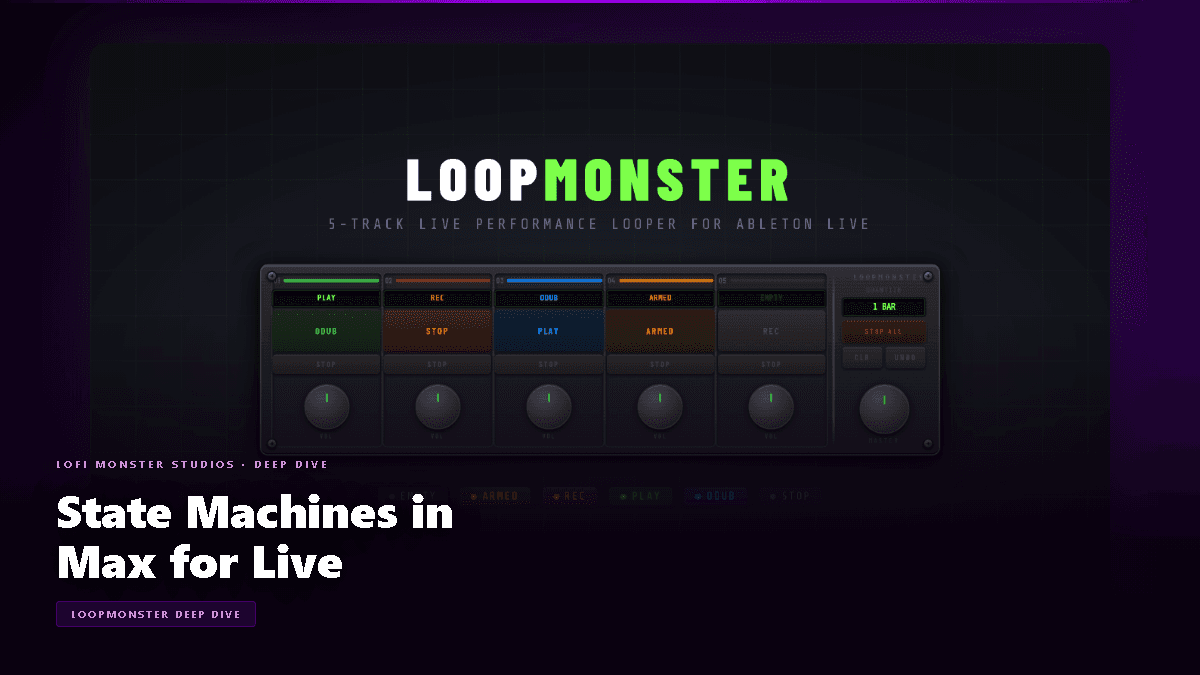
Each loop slot in LoopMonster has exactly six possible states. Here is what each one means in practice:
1. EMPTY
The slot has no audio recorded in it. The LED is dark or unlit. Pressing the action button from EMPTY moves the slot to ARMED — it does not start recording immediately, because LoopMonster waits for the next bar boundary to keep your loops in sync.
2. ARMED
The slot is waiting for the next bar boundary to begin recording. The LED pulses or flashes to indicate it is standing by. No user input is needed — the transition to RECORDING happens automatically at the downbeat. You can cancel by pressing the action button again, which returns the slot to EMPTY.
3. RECORDING
Audio is being captured into the slot. The LED is solid and bright — typically red. Pressing the action button while in this state ends the recording and immediately begins looping the captured audio. The slot transitions to PLAYING.
4. PLAYING
The recorded loop is playing back continuously. The LED cycles or pulses in sync with playback. Pressing the action button enters OVERDUB mode. Pressing the STOP button for the slot moves to STOPPED.
5. OVERDUB
The loop continues to play, and new audio is being layered on top of it in real time. The LED indicates the active recording. Pressing the action button exits overdub and returns to PLAYING — with the new layer baked in. This is also where the 1-level undo operates (more on this below).
6. STOPPED
The loop exists but is not playing. The LED is dim. Pressing the action button resumes PLAYING from the beginning of the loop. Pressing the action button on the EMPTY state of a different slot does not affect this slot.
Why This Matters: Predictability as a Feature
The reason state machines matter in a live performance context is that they eliminate ambiguity. When you press a button in LoopMonster, you never have to wonder what will happen. The answer depends only on which state the slot is currently in — and that is always visually indicated by the LED.
Compare this to a simple toggle approach: a button that alternates between two behaviors based on a flag. Toggle logic works fine for two states. Add a third — or a fourth — and the toggle starts to break down. What does the button do if you press it while the loop is recording AND another slot is playing AND the master is muted? A toggle has no principled answer. A state machine does: the button always does exactly what the current state dictates, regardless of what anything else is doing.
This is why LoopMonster never gets confused.
The 1-Level Undo
One of LoopMonster's most useful features is the ability to undo the last overdub. At the state machine level, this is implemented by keeping a shadow copy of the loop buffer at the moment OVERDUB begins. If the overdub does not work out, you can discard it and restore the pre-overdub version of the loop.
From the user's perspective: enter OVERDUB, play something, decide you do not like it, trigger Undo — the slot returns to PLAYING with the loop as it was before the overdub started. The undo only goes one level deep (you cannot undo the undo), which keeps the implementation simple and the behavior predictable.
State Machines vs. Toggles: Why It Is Worth the Complexity
Building a state machine in Max for Live requires more upfront work than a simple toggle or flag-based approach. You have to define all the states, all the transitions, and all the edge cases. But that upfront investment pays back every time you perform.
With a toggle: you might build 80% of the behavior quickly, then spend three times as long debugging edge cases when buttons do unexpected things under specific conditions.
With a state machine: you define the rules once, and the system enforces them mechanically. Edge cases that would break a toggle — like pressing the action button during the ARMED to RECORDING transition — are handled naturally because the state machine simply does not allow that transition if the current state does not permit it.
For a live performance device, this robustness is not a nice-to-have. It is the whole point.
Learn More
Want to explore LoopMonster for yourself? Get it at lofimonster.com/products/loopmonster.
For full documentation, tutorials, and tips, visit the LoopMonster help center.